Nieuwe ETU Laptop
Installatie Stappen nieuwe ETU Laptop
Windows
- Installeer Windows
- Update alle store apps
- Update Windows
- Update Drivers
- Onnodige applicaties verwijderen
- Instellen Windows Update
- Zet "Updates ontvangen voor andere Microsoft-producten ontavngen" aan

- Zet gebruikstijden op 09:00-00:00
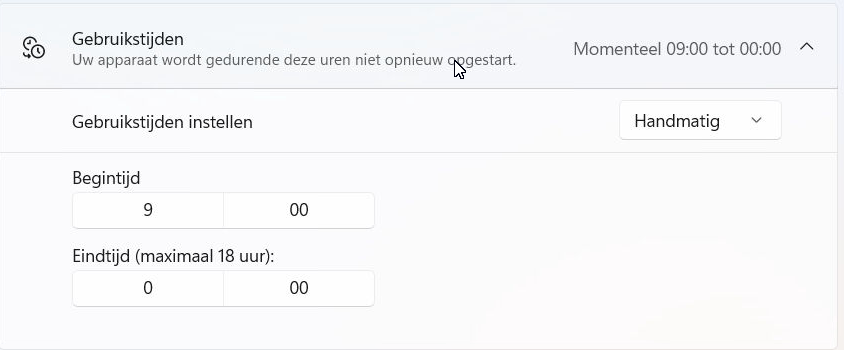
- Zet "Updates ontvangen voor andere Microsoft-producten ontavngen" aan
Applicaties
- Installeer UltraVNC
- Server, stel ook ww in
- Viewer, om displayboard te bedienen
- Instellen Syncthing
- Installeer Syncthing
- Koppel aan syncthing-ina-spcon301
- Zorg dat je de gedeelde map ETU krijgt en locatie is C:\
- Instellen Autologon
- Stel Autologon in zodat de laptop automatisch aanlogt
Windows instellingen
- Verschillende Windowsinstellingen
- Systeeminstellingen
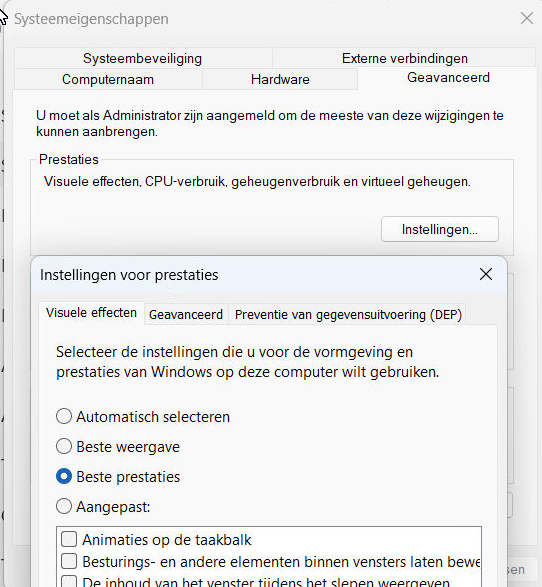
- Stel Prestaties in op "Beste prestaties"
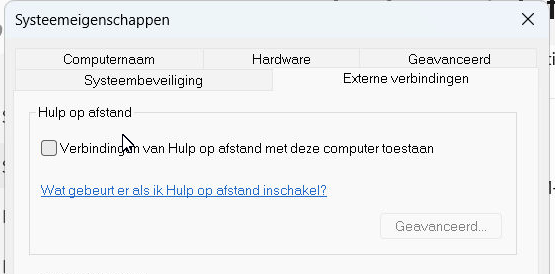
- Zet "Hulp op afstand" uit
- Schakel Systeemherstel uit
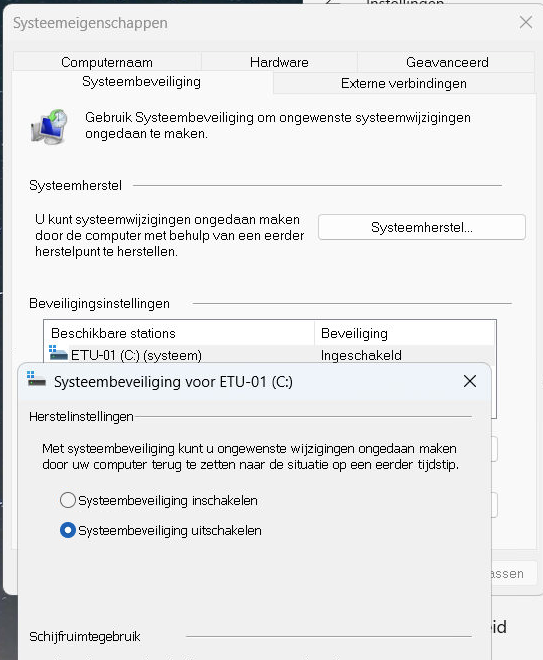
- Stel Prestaties in op "Beste prestaties"
- Stroomplan
- Zet Energiemodus op "Beste Presataties"
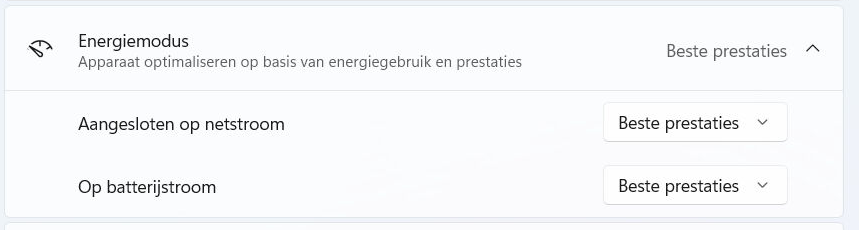
- Stel de diverse time-outs in:
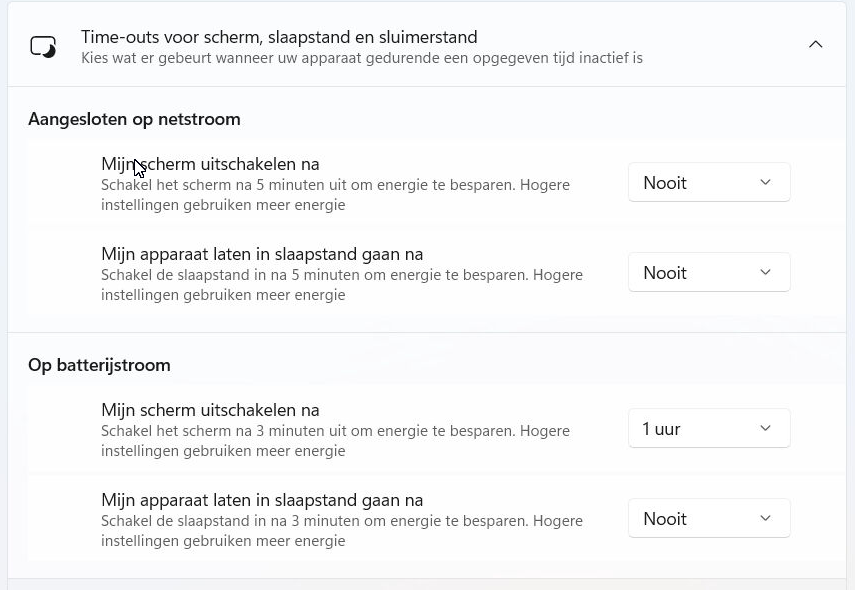
- Zet Energiemodus op "Beste Presataties"
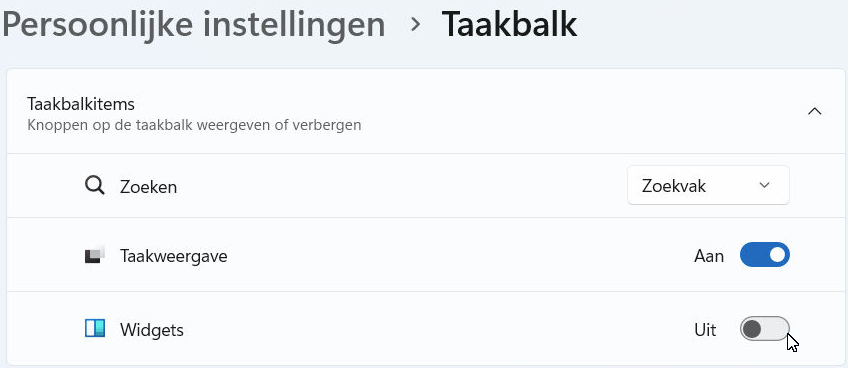
- Zet widgets uit
- Systeeminstellingen